Technology is everywhere today and computers are a big part of our lives. But many people still do not clearly understand how a computer actually works from the inside. This computer hardware explained guide helps beginners, students, teachers, and tech learners understand every important part of a computer in a simple and easy way. When you understand computer hardware explained properly, it becomes easier to choose a computer, repair problems, upgrade parts, and use your device more effectively.
What Is Computer Hardware?

Computer hardware refers to all the physical parts of a computer system that you can see and touch. These parts work together to process data, run software, and perform different tasks. Without hardware, a computer cannot function. This computer hardware explained guide helps you know what each part does inside your system.
Difference Between Hardware and Software
Hardware is the physical component
Software is the program or application
Hardware runs software
Software gives instructions to hardware
Both are important and cannot work alone.
Main Components in Computer Hardware Explained
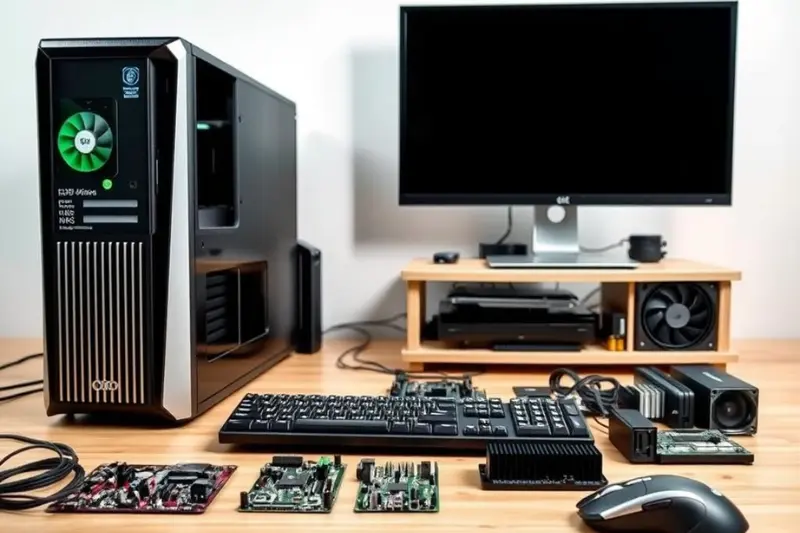
Every computer system contains several important hardware parts. Understanding these parts helps you fully understand computer hardware explained completely.
Central Processing Unit (CPU)
The CPU is known as the brain of the computer. It processes instructions, performs calculations, and controls all activities of the system.
Functions of CPU
Executes commands
Handles calculations
Controls other components
Processes data quickly
CPU performance is measured in gigahertz (GHz). The higher the GHz and number of cores, the faster your computer works.
Motherboard
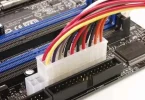
In the computer hardware explained guide, the motherboard is one of the most important components. It is the main circuit board where all other hardware parts are connected. It allows communication between every component.
Importance of Motherboard
Connects all parts together
Supplies power to components
Allows data communication
Supports future upgrades
Choosing a good motherboard increases system stability and future support.
Random Access Memory (RAM)
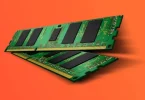
RAM is the temporary memory of the computer. It stores data that is currently being used or processed. When power turns off, RAM data is deleted.
Why RAM Is Important
Improves speed
Supports multitasking
Helps software run smoothly
More RAM means better performance especially for gaming, editing, and multitasking.
Storage Devices
Storage is used to permanently save data, files, software, and the operating system. Unlike RAM, storage keeps data even when the computer shuts down.
Types of Storage
HDD Hard Disk Drive – large and cheaper but slower
SSD Solid State Drive – faster, reliable, modern
NVMe SSD – extremely fast and powerful
In computer hardware explained, storage is essential for speed and performance. SSDs are recommended for better speed and boot time.
Power Supply Unit (PSU)
The PSU provides electrical power to every part of the computer. It converts electricity from the outlet into safe, usable power.
Why PSU Is Important
Supplies stable power
Prevents damage
Supports powerful components
A good PSU protects your system from failures.
You may also like to read these posts:
Latest Smartphone Reviews: Top Phones Tested 2025–2026
Top Laptop Reviews 2026 — Best Picks for Every Need
Wearable Tech Reviews 2026 — Top Gadgets Evaluated
Coding Tutorial for Beginners — Learn Programming 2026
Graphics Processing Unit (GPU)
The GPU handles graphics, visuals, videos, and games. In basic computers, integrated graphics are built inside the CPU. For gaming, video editing, and designing, a dedicated GPU is needed.
GPU Uses
Gaming
Video editing
3D work
Graphic designing
Understanding GPU in this computer hardware explained guide helps users choose the right device for their needs.
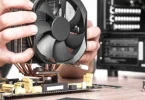
Cooling System
Computers generate heat while working. Cooling systems protect components from overheating.
Types of Cooling
Air cooling
Liquid cooling
Good cooling improves performance and lifespan.
Input Devices
Input devices allow users to enter data into the computer.
Examples include
Keyboard
Mouse
Scanner
Microphone
Webcam
These devices are essential in computer hardware explained learning.
Output Devices
Output devices display results processed by the computer.
Examples include
Monitor
Printer
Speakers
Headphones
They help users see and hear information.
Internal vs External Hardware
Understanding this difference is important in computer hardware explained.
Internal Hardware
Placed inside the computer case such as
CPU
Motherboard
RAM
GPU
Storage
Cooling fans
External Hardware
Connected outside such as
Keyboard
Mouse
Monitor
Printer
External drives
Types of Computers Based on Hardware
Desktop computers
Laptops
All-in-one PCs
Tablets
Workstations
Gaming PCs
Each type has different hardware capacity and performance levels.
Importance of Computer Hardware Explained
Understanding computer hardware explained gives many advantages
Helps choose the right computer
Makes troubleshooting easier
Supports upgrading
Improves performance knowledge
Helps in learning IT and technology
How Hardware and Software Work Together
Software sends instructions
Hardware performs actions
CPU processes data
RAM holds temporary information
Storage saves files
Monitor displays results
Both depend on each other to function.
Basic Maintenance Tips
To keep hardware safe and long-lasting
Keep computer clean
Avoid overheating
Use stable electricity
Update system regularly
Check storage space
Handle parts carefully
These tips from computer hardware explained guide help protect devices.
Common Hardware Problems
Slow performance
Computer overheating
Blue screen errors
No display
Storage failure
These usually relate to RAM, CPU, GPU, or power issues.
Computer Hardware Explained for Students
Students benefit by
Understanding basic tech knowledge
Handling computer subjects easily
Building confidence in technology use
Computer Hardware Explained for Beginners
Beginners learn
What each part does
How systems work
Basic computer handling
Smart purchasing decisions
Upgrading Hardware
Upgrading improves performance. Common upgrades include
Adding RAM
Installing SSD
Upgrading GPU
Changing PSU
This makes computers faster and more efficient.
Future of Computer Hardware
Technology is growing fast. Future hardware will include
More powerful processors
Advanced graphics technology
Smarter AI-based hardware
Faster storage solutions
Learning computer hardware explained prepares users for future technology.
Frequently Asked Questions
What is computer hardware?
Computer hardware refers to all the physical parts of a computer that you can see and touch, such as the CPU, RAM, motherboard, storage, monitor, keyboard, and mouse.
What is the difference between hardware and software?
Hardware is the physical component of a computer, while software includes the programs and applications. Hardware runs the software, and software gives instructions to the hardware.
Why is RAM important in a computer?
RAM is important because it stores temporary data and helps the computer run programs smoothly. More RAM improves multitasking and overall performance.
What is the function of the CPU?
The CPU is the brain of the computer. It processes instructions, performs calculations, and controls the overall functioning of the system.
What are common causes of slow computer performance?
Common reasons include low RAM, slow or failing storage, overheating, too many background programs, outdated hardware, or software issues.
Conclusion
This computer hardware explained guide makes it easy to understand how a computer works, what its parts are, and why they are important. From CPU and RAM to storage, GPU, motherboard, and peripherals, each component has its own role in performance and functionality. Whether you are a student, beginner, gamer, or professional, understanding computer hardware explained helps you choose better devices, solve problems faster, and use technology more confidently. With the right knowledge, using and maintaining a computer becomes easier, smarter, and more efficient.