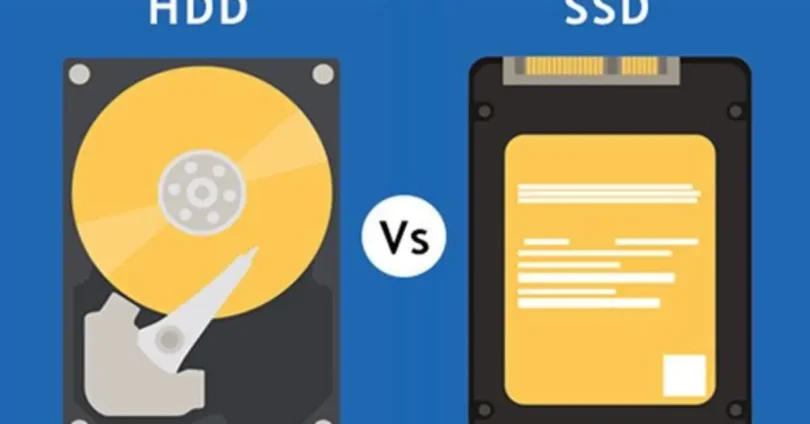

Storage is a crucial part of any computer. When building or upgrading a PC, users often wonder whether to choose a hard drive (HDD) or a solid-state drive (SSD). This hard drive vs SSD explained guide helps beginners understand the differences, advantages, disadvantages, speed, storage capacity, and practical usage of each storage type.
What Is a Hard Drive (HDD)?
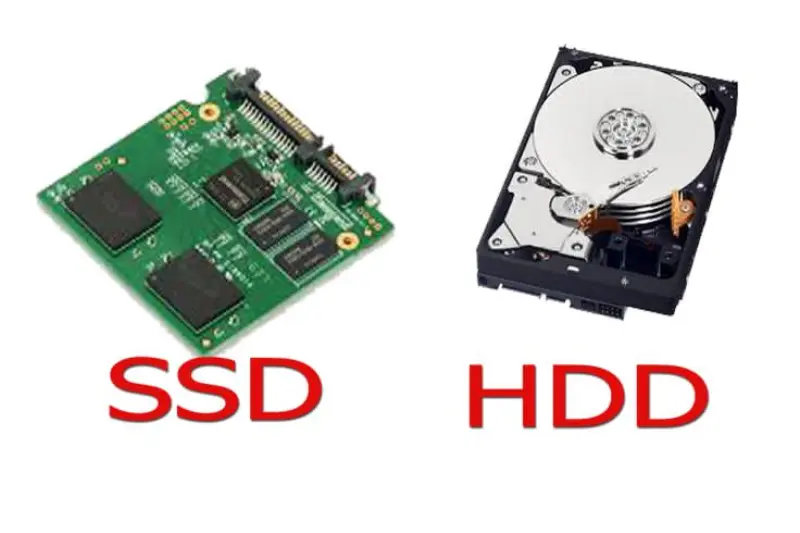
A Hard Disk Drive (HDD) is a traditional storage device that uses spinning magnetic disks to store data. The read/write heads move over the platters to access data. HDDs have been used in computers for decades and are known for large storage capacity at a low price.
Key Features of HDD
- Uses spinning magnetic disks
- Mechanical parts like read/write heads
- Available in large capacities (1TB, 2TB, or more)
- Slower than SSDs
- Affordable for high storage needs
Pros of HDD
- High storage capacity at low cost
- Suitable for storing large files
- Reliable for backup storage
Cons of HDD
- Slower boot and load times
- Mechanical parts prone to wear
- Noisy operation
- Higher power consumption
What Is an SSD?
A Solid-State Drive (SSD) is a modern storage device that uses flash memory to store data. Unlike HDDs, SSDs have no moving parts, which makes them faster, quieter, and more reliable.
Key Features of SSD
- Uses NAND flash memory
- No moving parts
- Faster data access and transfer speeds
- More durable than HDD
- Higher cost per GB compared to HDD
Pros of SSD
- Extremely fast boot times and application loading
- Durable and resistant to shocks
- Low power consumption
- Quiet operation
Cons of SSD
- Higher cost per GB
- Smaller storage capacity compared to HDD
- Limited write cycles (though modern SSDs last years)
Hard Drive vs SSD Speed Comparison
Speed is the main difference in hard drive vs SSD explained.
| Feature | HDD | SSD |
|---|---|---|
| Boot Time | 30–60 seconds | 10–20 seconds |
| File Transfer | 100–150 MB/s | 500–3500 MB/s (NVMe) |
| Random Access | Slow | Very fast |
SSDs dramatically improve system responsiveness, especially for booting the OS, opening programs, and loading games.
Lifespan and Durability
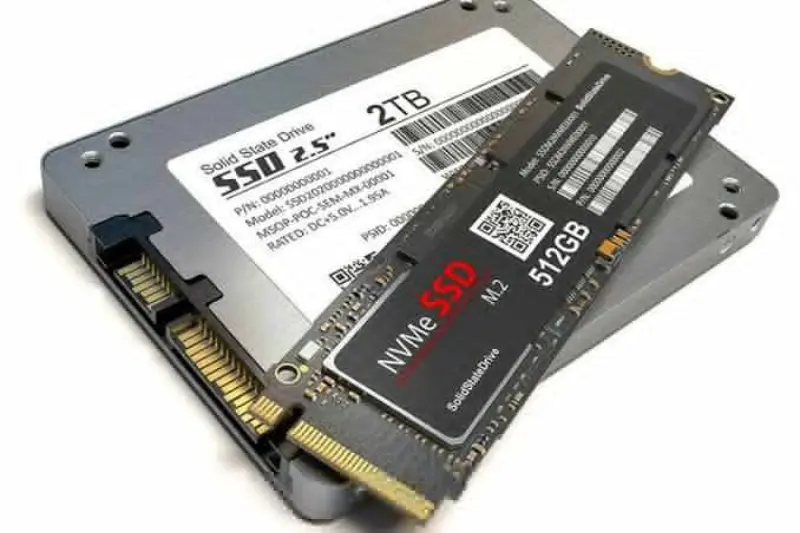
HDDs have mechanical parts that can fail over time, especially with shocks or drops. SSDs are more durable since they have no moving parts. Modern SSDs have wear-leveling technology that ensures long lifespan even with regular use.
You may also like to read these posts:
Complete Home Office PC Guide for Smart Remote Work
Latest Smartphone Reviews: Top Phones Tested 2025–2026
Top Laptop Reviews 2026 — Best Picks for Every Need
Wearable Tech Reviews 2026 — Top Gadgets Evaluated
Hard Drive vs SSD Usage
Best Use for HDD
- Mass storage for media and files
- Budget builds
- Backups and archives
Best Use for SSD
- Operating system drive for fast booting
- Gaming and video editing
- Professional work requiring speed
Many users combine SSD and HDD to get speed and large storage at a reasonable cost.
Price Comparison
HDDs are cheaper per gigabyte, making them ideal for storing large files. SSDs are more expensive but offer significant performance benefits. In this hard drive vs SSD explained guide, budget and usage determine which option is best.
NVMe SSD vs SATA SSD
- SATA SSD: Faster than HDD, up to 550 MB/s
- NVMe SSD: Uses PCIe interface, up to 3500 MB/s
NVMe SSDs are ideal for gaming, video editing, and high-performance applications.
Noise and Power Consumption
HDDs are louder due to spinning disks and moving parts, while SSDs are silent. SSDs also consume less power, which is beneficial for laptops and energy efficiency.
Frequently Asked Questions
What is the main difference between HDD and SSD?
HDD uses spinning disks and mechanical parts, while SSD uses flash memory with no moving parts, making it faster and more durable.
Can I replace an HDD with an SSD?
Yes, upgrading to an SSD improves boot times, application speed, and overall system performance.
Which is better for gaming, HDD or SSD?
SSD is better for gaming because it reduces loading times, improves responsiveness, and handles large game files efficiently.
Are SSDs more expensive than HDDs?
Yes, SSDs cost more per gigabyte, but they offer faster speed and durability compared to HDDs.
Can I use both HDD and SSD in the same computer?
Yes, using an SSD for the operating system and applications and an HDD for storage is a common and effective setup.
Conclusion
This hard drive vs SSD explained guide shows that both storage devices have their strengths. HDDs offer large, affordable storage, while SSDs provide speed, durability, and low power consumption. For optimal performance, many users use an SSD as the primary drive for OS and applications and an HDD for secondary mass storage. Understanding the differences helps you make informed decisions when building, upgrading, or maintaining a computer.