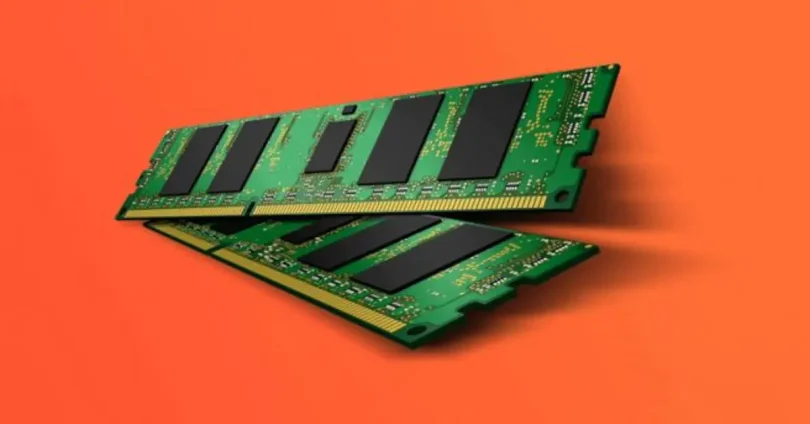

Random Access Memory (RAM) is one of the most important components in a computer. It temporarily stores data that the CPU needs to access quickly. Understanding RAM types and usage is essential for students, gamers, professionals, and anyone interested in computer performance. This guide explains what RAM is, its types, speed, capacity, and practical usage tips.
What Is RAM?

RAM is a type of volatile memory, which means it only stores data while the computer is powered on. It allows the CPU to read and write data faster than using a hard drive or SSD. Without sufficient RAM, your computer will slow down, especially when running multiple programs simultaneously.
Why RAM Is Important
RAM is essential because it:
- Improves multitasking
- Speeds up applications
- Enhances gaming performance
- Reduces system lag
- Supports smooth video editing
How RAM Works
When you open a program, the CPU loads its data into RAM for quick access. Unlike storage devices such as HDDs or SSDs, RAM is much faster, which allows for instant data retrieval. The more RAM your system has, the more tasks it can handle at the same time.
Types of RAM
There are several RAM types available today, each with specific features and performance levels. Understanding RAM types and usage helps in choosing the right memory for your system.
1. DRAM (Dynamic RAM)
DRAM stores each bit of data in a separate capacitor. It needs constant refreshing to maintain data. Most modern computers use DRAM because it is affordable and reliable.
2. SRAM (Static RAM)
SRAM stores data using flip-flops, which do not need refreshing. It is faster than DRAM but more expensive, and typically used in CPU cache memory rather than main system memory.
3. SDRAM (Synchronous DRAM)
SDRAM synchronizes with the system clock for improved performance. It is widely used in desktops and laptops. Variants include DDR, DDR2, DDR3, DDR4, and DDR5.
4. DDR RAM (Double Data Rate)
DDR RAM transfers data twice per clock cycle, making it faster than standard SDRAM.
DDR Generations
- DDR1: Older, slow, rarely used today
- DDR2: Faster than DDR1, low voltage
- DDR3: Popular, good speed, common in older systems
- DDR4: Modern computers, faster, energy-efficient
- DDR5: Latest generation, high speed, ideal for gaming and AI
RAM Capacity and Usage
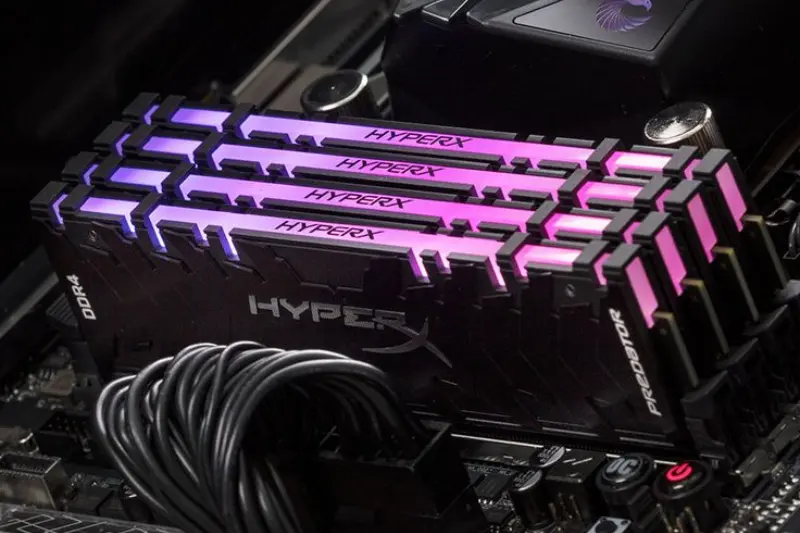
RAM capacity is measured in gigabytes (GB) or terabytes (TB). More RAM allows your system to handle more applications and larger files without slowing down.
Recommended RAM for Different Users
- Basic Users: 4–8 GB for browsing, office work, and online classes
- Gamers: 16–32 GB for smooth gaming and high FPS
- Video Editors/Designers: 32–64 GB for rendering and editing large files
- Professionals/Developers: 16–64 GB depending on workload
RAM Usage Tips
- Close unnecessary programs to free RAM
- Avoid running too many background apps
- Use 64-bit operating system for higher RAM support
- Upgrade RAM if your system slows down frequently
You may also like to read these posts:
Latest Smartphone Reviews: Top Phones Tested 2025–2026
Top Laptop Reviews 2026 — Best Picks for Every Need
Wearable Tech Reviews 2026 — Top Gadgets Evaluated
Coding Tutorial for Beginners — Learn Programming 2026
RAM Speed and Performance
RAM types and usage-RAM speed is measured in megahertz (MHz). Higher speed means data is transferred faster, improving overall system performance. In this RAM types and usage guide, matching RAM speed with your CPU and motherboard is important for optimal performance.
Dual Channel and Multi-Channel RAM
RAM types and usage-Using dual or multi-channel RAM configurations increases bandwidth and system efficiency. Pairing identical RAM sticks ensures better performance.
RAM in Laptops vs Desktops
- Desktop RAM: RAM types and usage-Usually larger, easier to upgrade
- Laptop RAM: RAM types and usage-Smaller (SO-DIMM), sometimes soldered, limited upgrade options
Understanding RAM types and usage ensures you choose the right memory for your device.
Common RAM Issues
- System lag or slow performance
- Random crashes or freezes
- Blue screen errors
- Not enough memory for applications
Troubleshooting Tips
- Run memory diagnostics
- Upgrade RAM if needed
- Close heavy applications when not in use
- Ensure compatibility with motherboard
RAM for Future-Proofing
Choosing the latest RAM type like DDR4 or DDR5 ensures your system can handle modern applications, gaming, and multitasking efficiently. Adequate RAM also increases the longevity of your computer.
Frequently Asked Questions
What is RAM used for?
RAM temporarily stores data for quick CPU access, improving multitasking, gaming, and software performance.
What is the difference between DDR3, DDR4, and DDR5 RAM?
DDR3 is older and slower, DDR4 is modern and energy-efficient, while DDR5 is the fastest and ideal for gaming and professional workloads.
How much RAM do I need for gaming?
16–32 GB is recommended for smooth gaming, high FPS, and multitasking during gameplay.
Can I upgrade RAM on my laptop?
Yes, if your laptop has an accessible SO-DIMM slot. Some ultrabooks have soldered RAM that cannot be upgraded.
Does more RAM always make a computer faster?
More RAM allows more applications to run simultaneously and improves performance, but CPU, storage, and GPU also affect overall speed.
Conclusion
This RAM types and usage guide explains everything a beginner needs to know about memory. From DRAM and SRAM to DDR generations, understanding RAM capacity, speed, and usage helps you optimize performance for gaming, editing, office work, and professional tasks. By choosing the right RAM and using it effectively, you can make your computer faster, more efficient, and future-ready.